
Tom MacWright
@macwright.com
4 months ago ClipArt ETC is also a great resource for a very particular kind of image: etc.usf.edu/clipart/
💬 0
♻️ 0
❤️ 5
ClipArt ETC is also a great resource for a very particular kind of image: etc.usf.edu/clipart/ 
I dunno read it, don't fucking read it.

This is what happens sometimes in fundraising :)

dub.sh/r1djCuS 
thank you!! always open to good recs - what would you suggest?
the database was unreliable, has been replaced with an llm trained to generate realistic responses to sql queries
announcing lots of new ai features on github (pull requests view is down) with enhanced copilot (the website doesn't load)
I am very tempted!
using time machine to go back in time and encourage lina khan to graduate early so she can block the github/microsoft merger

🦀 🚫 We're currently removing the Rust engines from Prisma ORM!

In our last release, we enabled this Rust-free version for all remaining SQL DBs, it's now available for:
✅ Postgres
✅ MySQL
✅ SQLite
✅ SQL Server

👉 Learn how to use it: pris.ly/no-rust-eng... 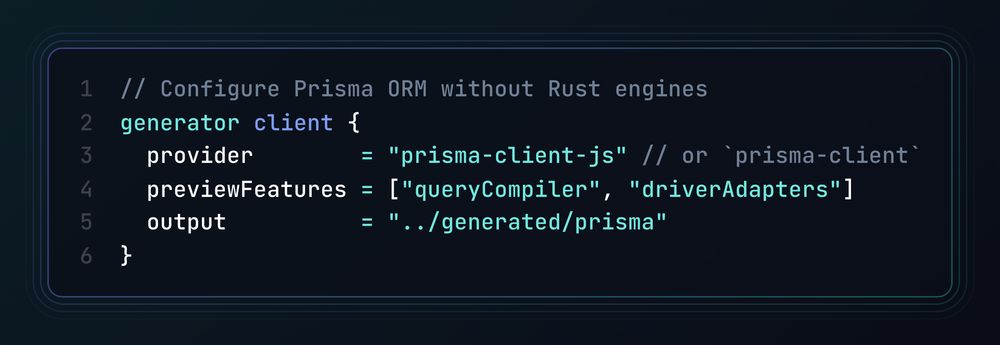
fuck it, one more week in berlin
Want to go beyond this thread and dive deeper with Next.js and Prisma Postgres?

The full guide in the Prisma docs walks you through setting up Next.js with Prisma Postgres and deploying it to @vercel.com.

Check it out 👇
pris.ly/nextjs-thre... ✅ Checkpoint: If everything worked, your app should now display the data you've added to your Prisma Postgres instance in a view when running the app with `npm run dev`. 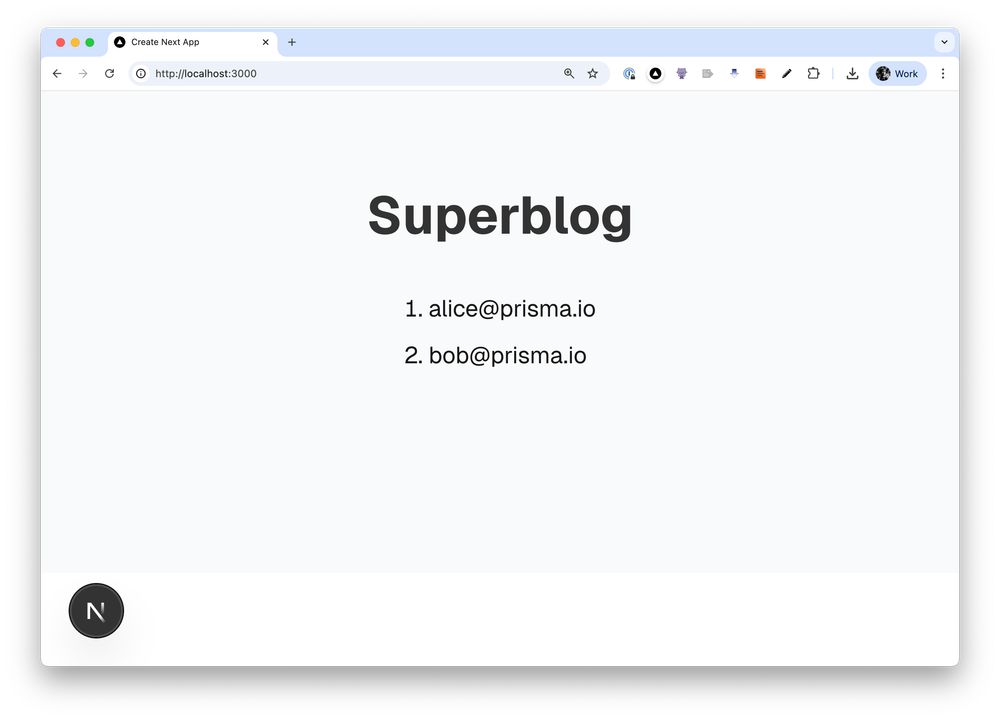
🚄 Step 5. Fetch the data in the frontend code.

Open the `app/page.tsx` file and replace the existing code with the following to query your DB & retrieve your users 👇 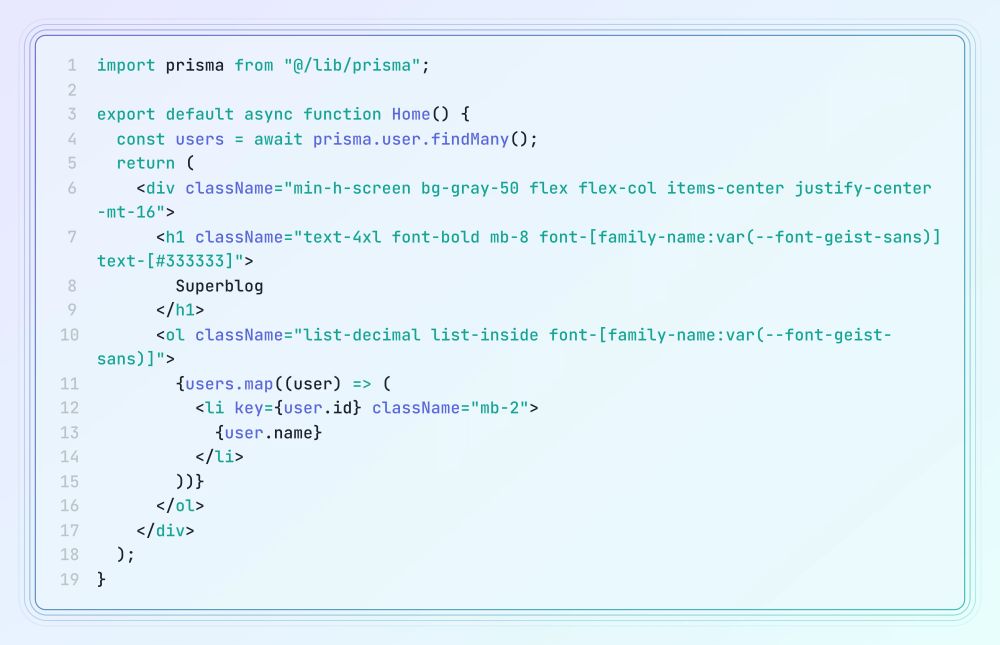
🤝 Step 4: Integrate Prisma Client in Next.js.

Create a new file called `src/lib/prisma.ts` and add the following code to instantiate Prisma Client. 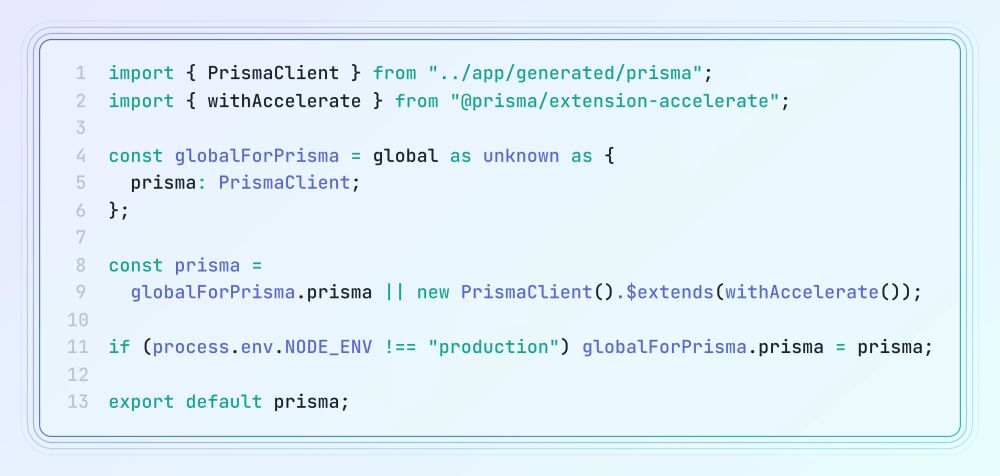
💡 Tip: You can now view and manage the data in your Prisma Postgres instance via Prisma Studio in your Prisma Data Platform Account.

Run `npx prisma studio` or visit console.prisma.io & add Alice and Bob as users in your app 👇 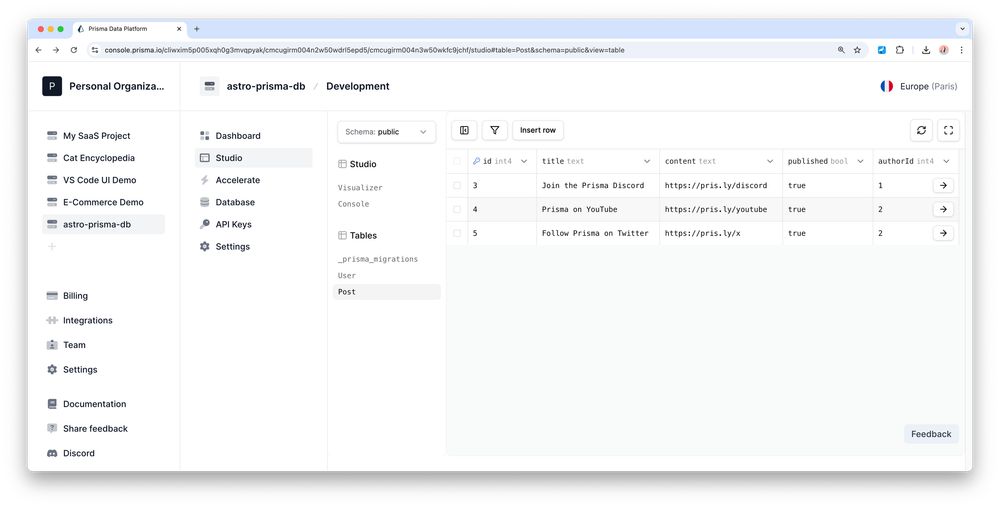
⚙️ Step 4: Run a database migration.

To map the models from your Prisma schema to the database, run the following Prisma Migrate command. 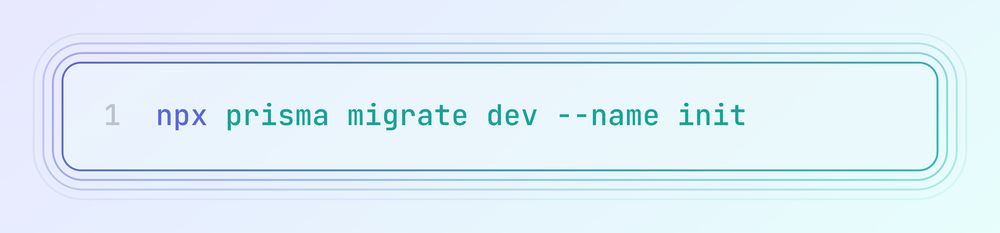
✍️ Step 3: Define your Prisma schema.

Add your data models that represent the schema in your underlying database. For this app, we're defining a `User` and `Post` model for a simple blogging app. 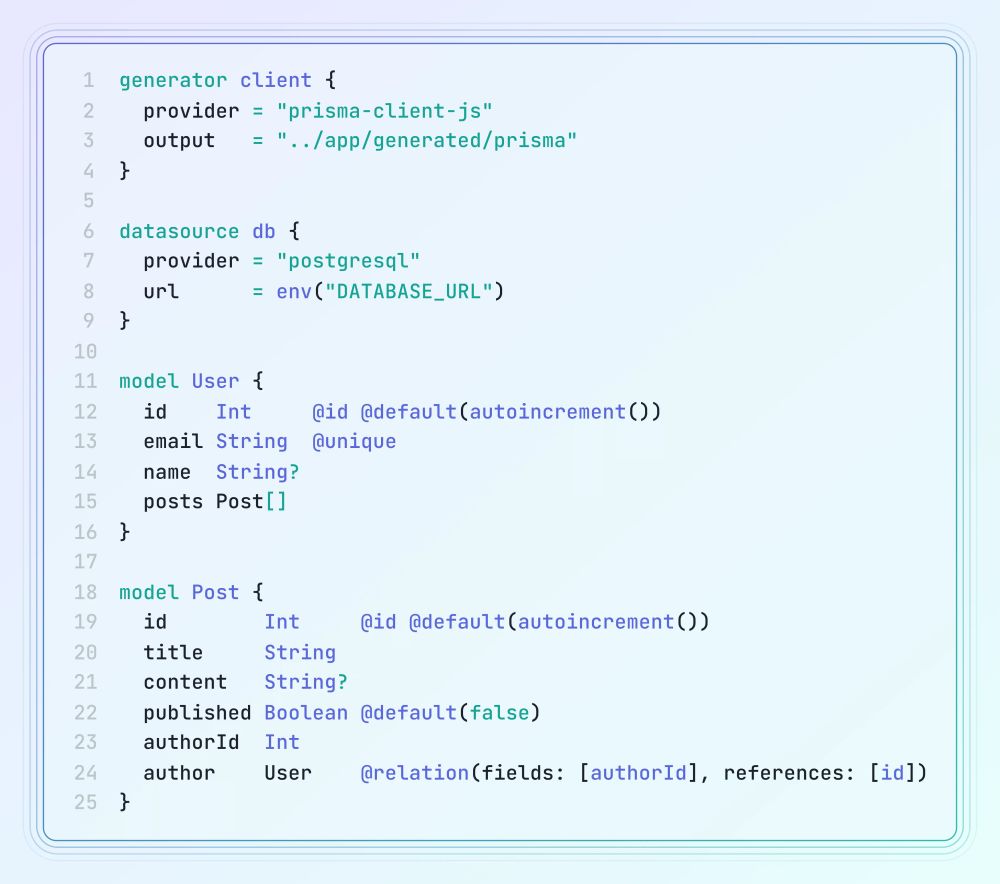
✅ Checkpoint: At this point, your project structure will look as follows: 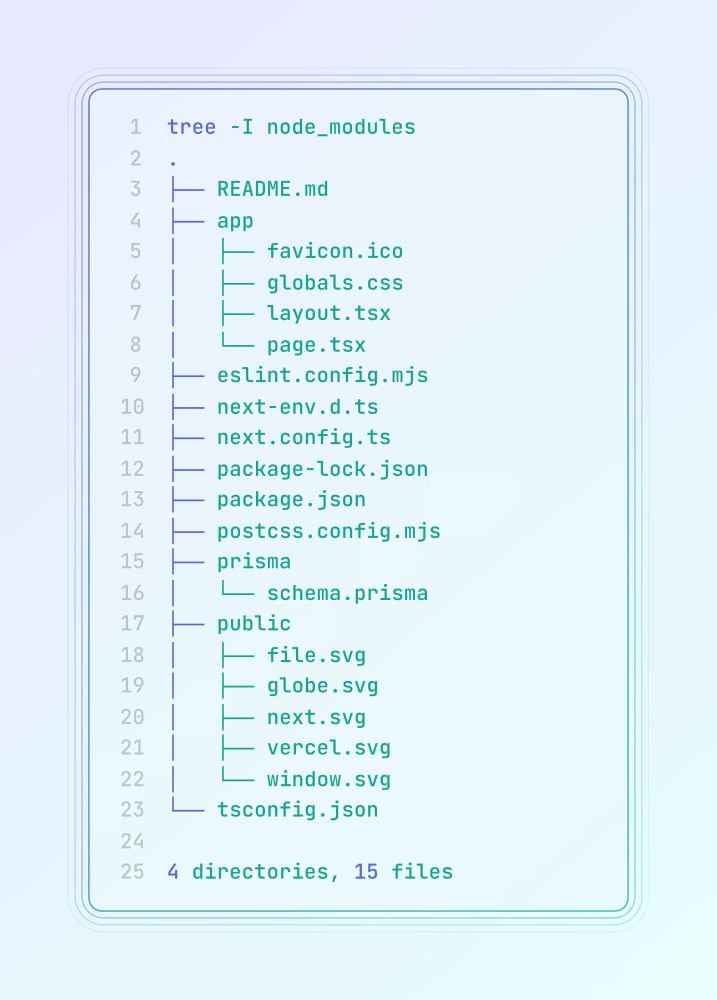
🚀 Step 2: Install Prisma & set up a Prisma Postgres database.

When running `npx prisma init --db`, you'll be prompted to provide some information about your Prisma Postgres instance (such as a name and its region). 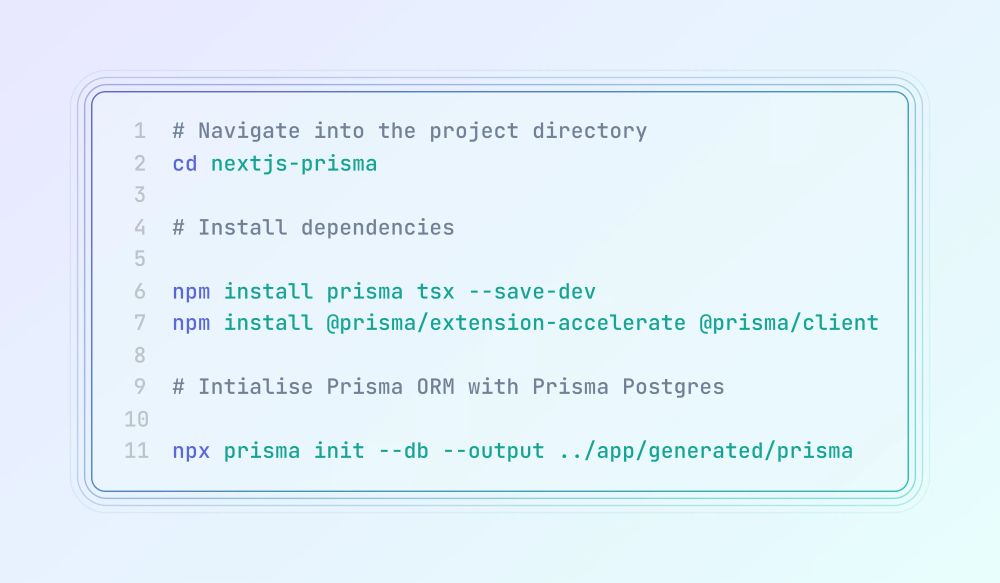
🚀 Step 1: Create a new Next.js project with the `create-next-app` CLI and select all of the defaults ↓ 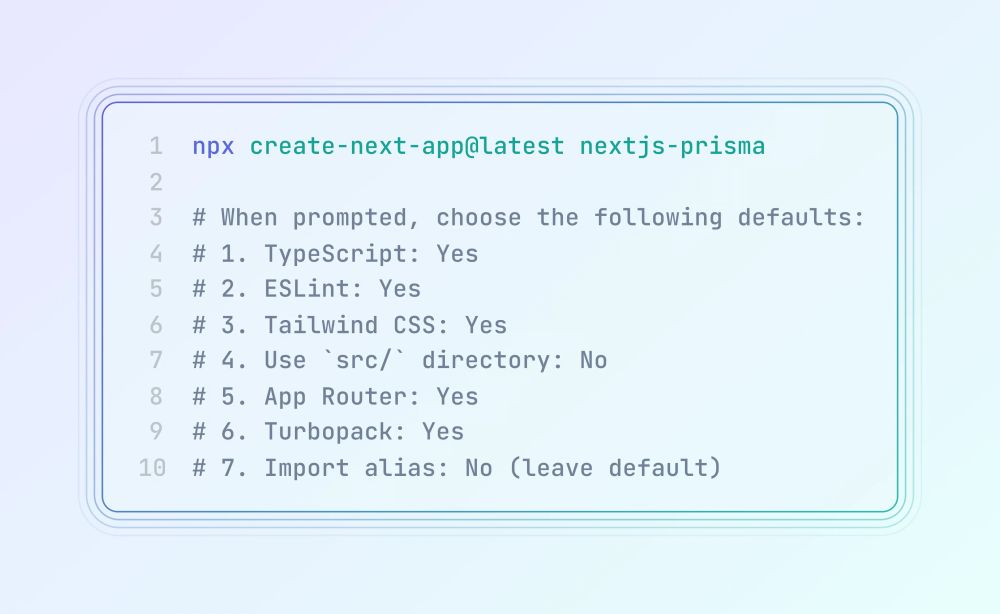
🎓 Learn how to build a fullstack app with @nextjs.org and Prisma Postgres!

🚀 Next.js is a powerful framework for building everything from content-rich sites to fullstack apps. In this thread, I’ll walk you through setting up Next.js with Prisma Postgres, step by step 👇 
folks in corporate are reorganizing the critical infrastructure team to operate under the clowning around department, bad news

You can sign up for updates and request early access at:

www.neki.dev Read more about our progress towards building Neki, how it compares to Vitess, and open sourcing Neki:
planetscale.com/blog/announc...